
Cally’s Caves 2 Development Blog #8 – More on Level Design in a 2D game

We already posted on some of the thoughts behind the level design in Cally’s Caves 2 a while ago.  In the time since that blog came out we’ve made a number of crucial decisions regarding how the levels will be laid out.  Also, the overall level design is such an important part of developing a 2D game that we figured it would be worth another post to discuss some of the decisions we’ve made.  We’ve already written about how we approach tutorials, the smaller level sizes, and increasing density of objects in a level, so this time we are going to focus on the smaller things that go into making a level for Cally’s Caves 2.

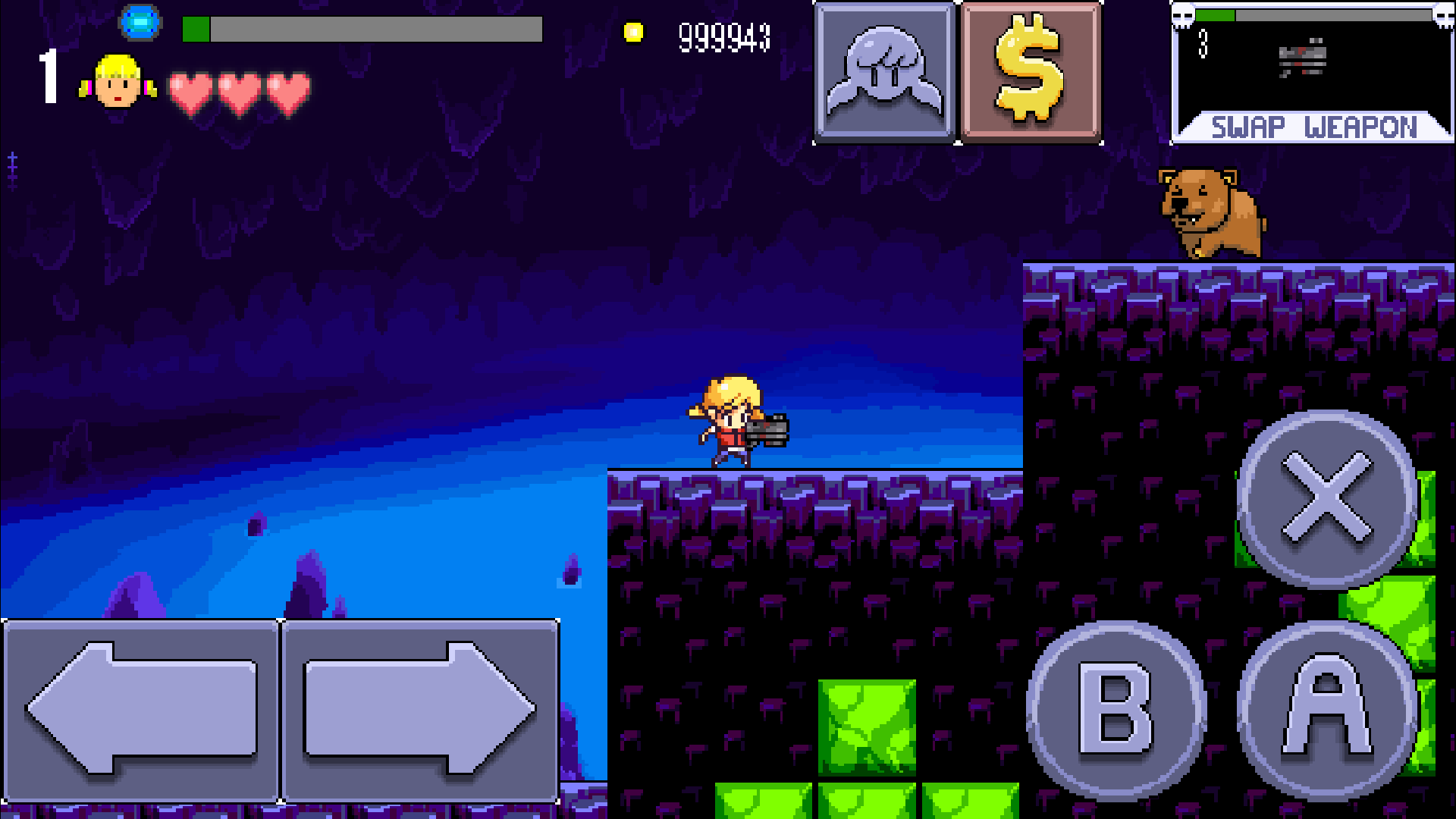
cally and big bear

Hazards 

A good 2D platformer should always be fun to run and jump around in.  Player movement mechanics are incredibly important, and part of developing player movement is figuring out how the player’s interaction with the environment works.  If the player stands on a brick block, they shouldn’t fall through it.  If the player runs into a wall, horizontal movement should stop.  Basic stuff, right?  But if that’s all there is to the game, it might get a bit boring after a while (although plenty of games don’t, and are awesome).  Introducing hazards allows a designer to inject some danger into a level design, which helps keep the player on their toes.  It also increases the reward value for a player when they beat a level.  Would a player feel more satisfaction if they ran down a level that was designed like a hallway, or if they navigated through a maze-like level filled with spikes and lava pits?  We believe the latter provides more opportunity for player satisfaction, although there isn’t an objectively correct answer.

Continue reading

Development Diary #7: Art!

Today’s Dev Diary is written by Yal, who is one of the two artists working on Cally’s Caves 2 (along with OHKO).  She shares some of her experiences and insights into the process of creating art for a 2d platformer.

A guest article? Does that mean… there is a guest?! Um, well, yeah. Long story short: OHKO asked me whether I was interested in helping out doing some weapon graphics for Cally’s Caves 2. I said yes. Done, stop yawning. Now let’s change subject to the actual graphics! =]

Since a large majority of all AAA games released nowadays are FPS games, it’s only natural that they use guns. The problem is, most of them also try to be vaguely realistic, which in turn means all weapons are of the type “fires bullets in a straight line”. Now how fun is that? This also generally results in unbalanced weapons, since if all weapons fire in a straight line, why bother getting more than one? The answer is: because every new weapon is tons better than the previous one, so why bother keeping that anyway?

Contrast that with a game like Cave Story by Studio Pixel:

cave story

 (Official screenshot from the game manual) Continue reading

Development Diary #6: RPG Mechanics

Levelling up and increasing different aspects of a character is one of my favorite parts of playing games. Series like the Elder Scrolls and the Ratchet and Clank games have always kept me hooked through the promise of being able to see a little meter fill up and know I’m about to reach that next level.  Considering how deeply RPG mechanics hook me, it should come as no surprise that Cally’s Caves 2 includes a number of mechanics that will help Cally grow more powerful as the game progresses.  Player leveling, finding weapons, leveling up those weapons, the upgrade shop, and in-game currency – these are the RPG mechanics at the core of Cally’s Caves 2.  Since we are making a sequel we can some of the ideas we had for the original game and taking them as far as we can.

Cally's Caves 2

Continue reading

Development Diary #5: Player Movement and Screen Real Estate

A lot of the decisions behind the original Cally’s Caves movement and combat were made based on the platform the game was shipping on.  Screen real estate is a big issue with iOS games, especially ones that use virtual controls.  A few years ago, an iOS game came out called “Pizza Boy” that utilized a virtual control idea that I thought was brilliant.  Instead of including a virtual joystick that would move in 4 or 8 directions (or using 4 directional buttons), Pizza Boy used a “slider” for left and right movement and simply did away with up and down movement.  I’m not sure if it was the first iOS game to use this tactic (that may be League of Evil, or others), but simplifying the control scheme like that minimizes the amount of screen real estate dedicated to controls.

Pizza Boy for iOS
Pizza Boy for iOS

Continue reading